 NexaCRM
Construction CRM
Construction CRM for contractors & suppliers
Track projects and tenders from first contact to work order, quote against BOQs and keep architects, builders and site engineers in the loop.
The challenge
Why construction businesses lose sales
Projects tracked in diaries
Upcoming projects and their stages are not recorded.
Tender deadlines
Submission dates and EMD details are missed.
Many decision makers
Architects, consultants and builders all influence the order.
Long payment cycles
Running bills and retention are hard to follow.
The solution
How NexaCRM helps construction teams
Project details
Project type, site location, area and stage.
Tender tracking
Tender number and submission date on the deal.
Stakeholders
Link architects, consultants and builders as contacts.
BOQ quotations
Itemised quotations with quantities and GST.
Stage pipeline
Lead → site visit → tender → work order.
Payment follow-up
Track running bills and outstanding amounts.
Workflow
Your sales process, step by step
Project identified
Site visit and BOQ
Tender / quotation submitted
Work order, supply and billing
Industry module
Switch on the Construction module in one click
Go to Settings → Industry modules and enable it. These fields appear on your forms straight away — your existing data is not changed.
Lead fields
Customer fields
Deal fields
Lead sources
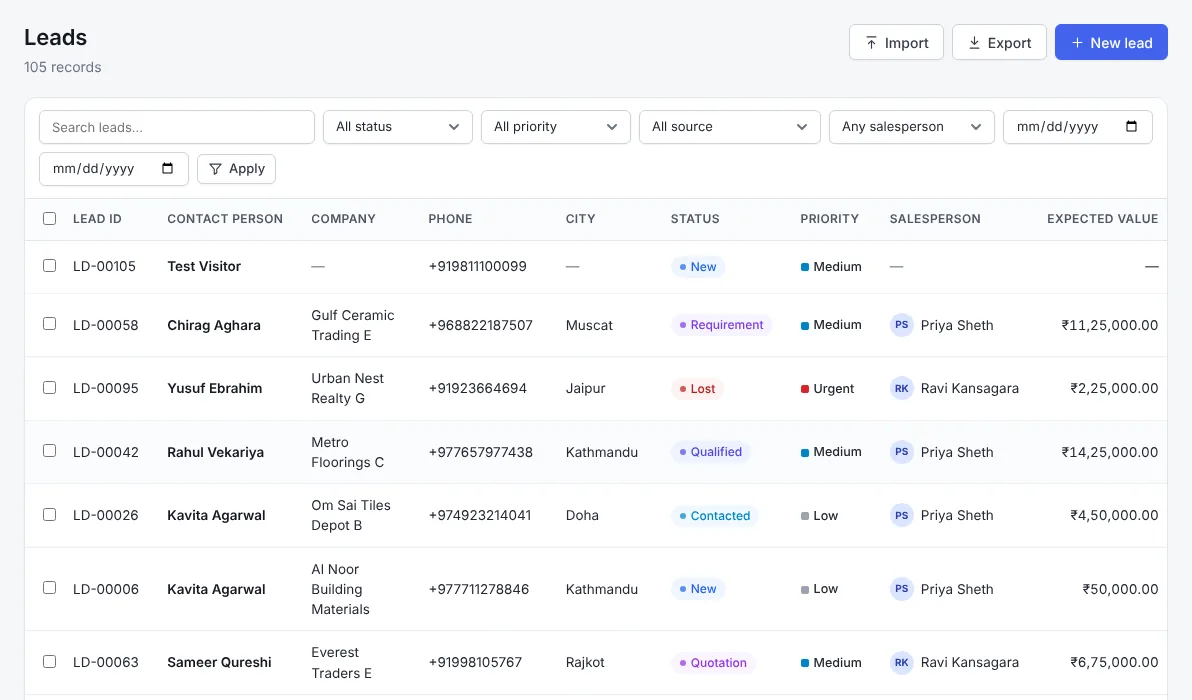
Included in every plan
Everything else your team needs
FAQ
Construction CRM — frequently asked questions
Can I track tenders?
Yes. The construction module adds tender number and submission date to deals.
Can building-material suppliers use it?
Yes. Track projects, contractors, quotations and dispatches.
Can I link architects to projects?
Yes. Add architects and consultants as contacts on the company and deal.
Is it a project management tool?
It focuses on sales and customer follow-up; site execution stays in your PM tool.
Related industries
Also built for
Real Estate CRM
Real estate CRM to capture portal and ad enquiries, schedule site visits, track budgets, unit preferences, bookings and channel partners — on any phone.
Ceramic & Tiles CRM
Tile CRM for Indian manufacturers: manage dealers, architects, builders and export buyers, sample dispatch, projects and quotations by size and finish.
Machinery & Engineering CRM
Machinery CRM for long B2B sales cycles: capture technical requirements, send quotations with options, track demos, installation and AMC service follow-ups.
Ready to grow your construction sales?
Start a free trial, switch on the Construction module and capture your first enquiry today.